
Features
Handyman Booking OS by OsDot™: what it does
Every area of the product, shown on real captures of version 1.0.0. For one small home-repair business and its own workers; never a marketplace.
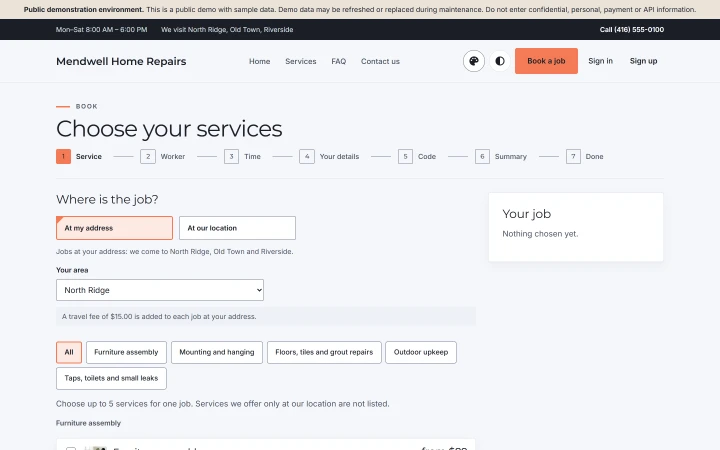
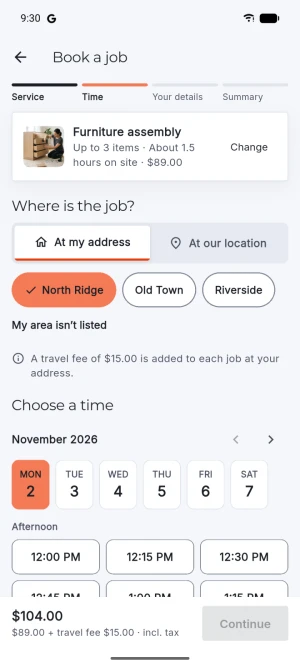
Online booking (handyman booking software)
- Bookings fit your hours and each worker's own hours, with travel time between jobs; your service area is checked before anyone books.
- A worker can't be booked twice for the same time — travel time between jobs included — whether the job comes from your website, the app or your own desk, even when two bookings arrive at the same moment: the database itself refuses an overlap.
- Customers reschedule or cancel a booking themselves, inside your deadline.
- Guests find their booking with its reference and their phone number.
- Booking times on your website and in your e-mails are shown in your business's time zone.
Estimates (handyman estimate app)
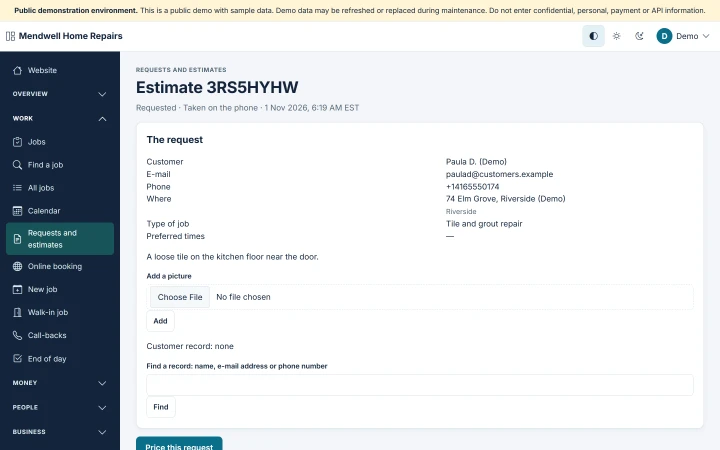
- Customers can request an estimate with photos and preferred times.
- Send versioned estimates; customers approve a specific version online, and added work needs their approval before it is done.
Scheduling and your workers (handyman scheduling software)
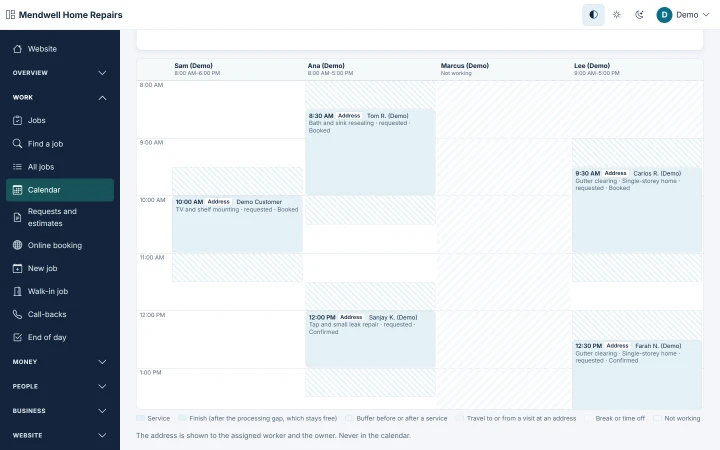
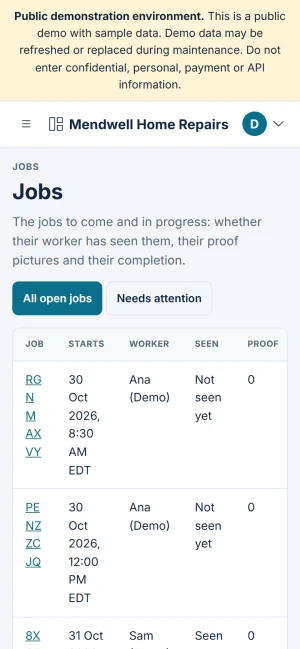
- Assignments are clear: workers confirm with "Seen", or tell you at once that they can't do a job.
- Customers never see your workers' personal contact details; workers see a customer's phone and address only for their own jobs, around the visit.
- Workers open directions to the job in their phone's own map app.
- Workers close a job with photos, notes and the customer's completion code — the proof you ask for.
- Workers can tell a customer they are on the way, with the arrival time they pick — a switch in your settings, off until you turn it on; no GPS or live tracking.
- Simple worker pay records: per-job amounts and paid or unpaid — not payroll.
Invoices and payments (handyman invoice software)
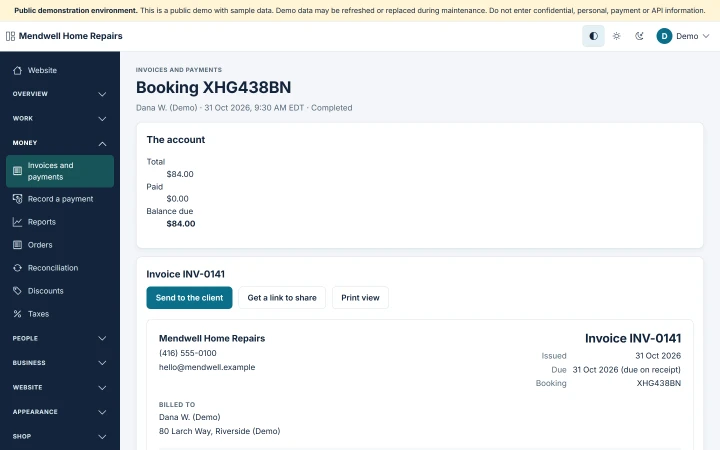
- Invoices carry your business's name, numbering and tax lines.
- No taxes are preset: you add your own, computed after discounts, with the rate shown.
- Take deposits and partial payments; the balance due is shown everywhere.
- Record payments taken by hand — your worker can record a payment taken at the door.
- Online payments through PayPal, Stripe and Razorpay on your own accounts, confirmed by verified server-side events.
- Prices are always worked out by your site, never taken from the customer's browser.
- Works in the currency you choose — USD by default; checkout only offers a payment provider that accepts it.
Messages and reminders
- Workers get every assignment by e-mail and in the app, and you see each message's sending status.
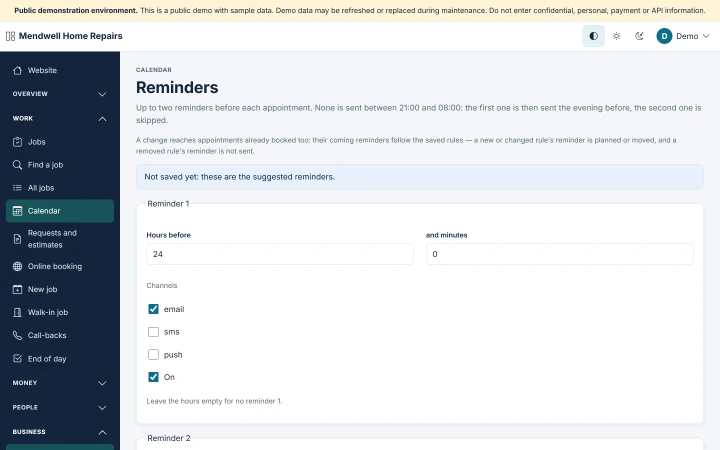
- Reminders before each job by e-mail, with your own timing and quiet hours.
- Push notifications on Android and iPhone, through your own Firebase project.
- Text messages go through your own SMS provider account; you pay your provider directly.
Verified reviews
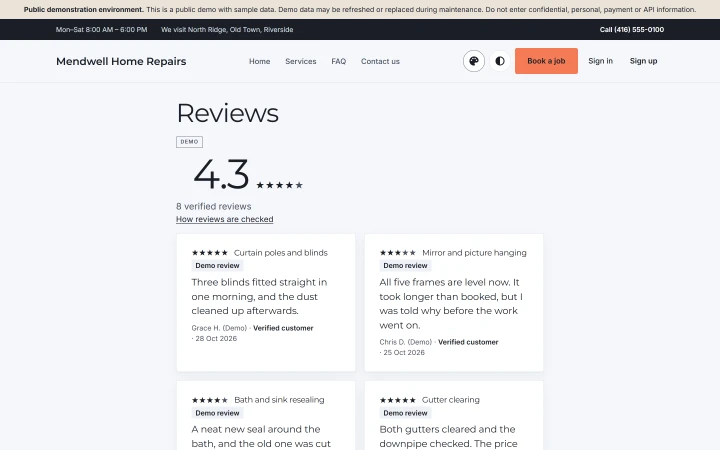
- Only verified customers can review — after a job marked completed or a delivered or collected shop order.
- Every completed job and every delivered or collected order gets a review request by e-mail.
- You reply to reviews and can hide one only for a listed reason, each action logged; approved low ratings stay visible, and your site says how reviews are checked.
- Rating summaries on your services, workers (with each worker's consent) and products, on your website.
Your own shop for parts and refurbished items
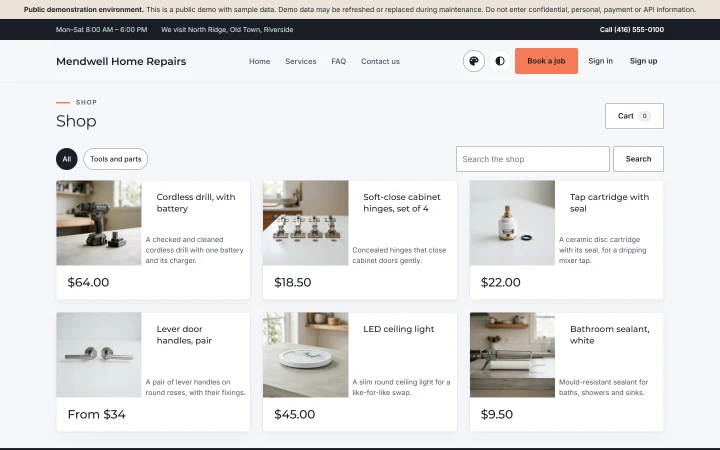
- Sell spare parts and refurbished items in your own shop — condition labels, your warranty or returns note, delivery or collection.
Your own website (handyman website builder)
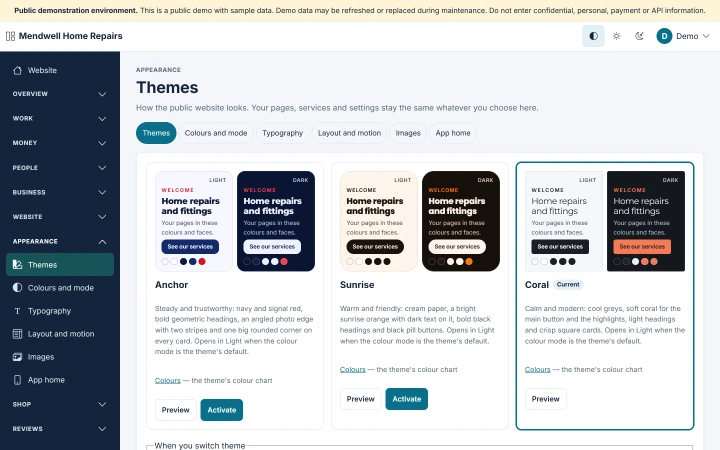
- Your own branded website with booking, in three themes — Anchor, Sunrise and Coral — each in Light and Dark.
- Designed to meet WCAG 2.2 AA.
Running the business (handyman CRM)
- Run your business from your phone: the owner panel works at phone width.
- Customer records with notes and job history.
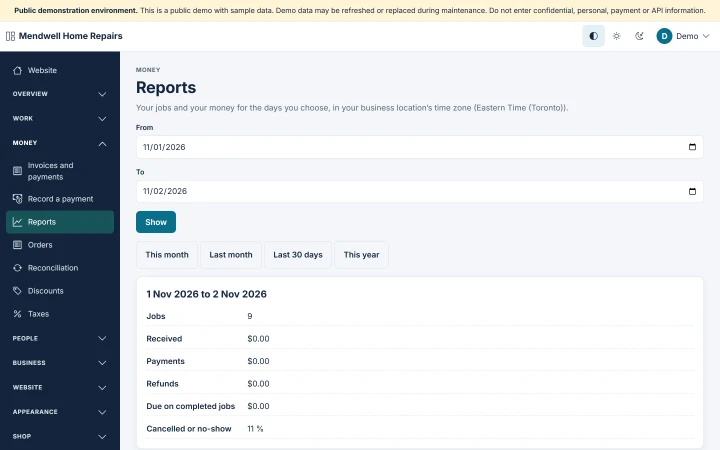
- Reports use one definition per figure and match your payments ledger to the cent.
- Import customers and services from CSV; export customers, services, jobs, invoices and payments.
- An optional AI writing helper on your own Claude key: off by default, and you review every draft.
Yours to own (self-hosted)
- Self-hosted: you own your data; payments and text messages go through your own accounts; OsDot takes no commission.
- Marketing consent is separate and unticked, and customers can withdraw it; customers can ask to delete their account from the app or the website.
- "Powered by OsDot™" stays in the administration's footer in every edition; on your public website you can switch it off.
Formats in version 1
- Version 1 shows dates, times and amounts in US English format, with the 12-hour clock.
Not included
Route planning; GPS or live tracking; crews or fleets; multi-location or franchises; van stock or parts tracked on jobs; calendar or accounting-software sync; payroll; offline mode; WhatsApp.
Looking at it as field service software for a small handyman business? That page says what is in it and what is not.
Install and run
- Installed with a browser installer that checks your server before it installs anything.
- Bought once, installed on hosting you choose: see the hosting requirements.
- Your data stays on your own hosting.